This article describes the process of viewing and editing an existing labor rate.
To view a labor rate:
- Click Admin > Accounting > Labor.
- Select a PROPERTY and click SEARCH.
- Use the SEARCH button and/or column filters to locate the desired labor rate.
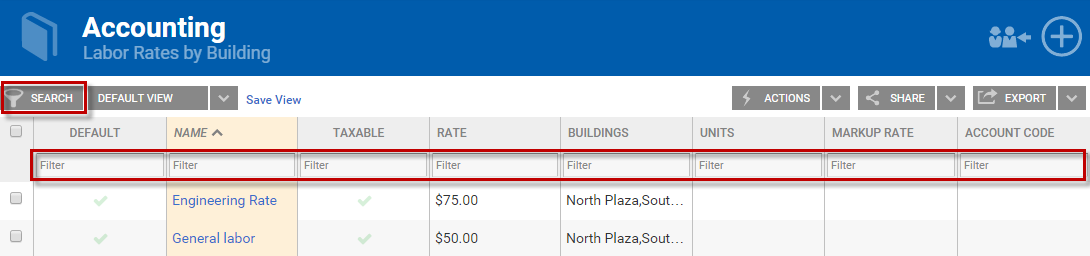
- Click on the name of the labor rate that you would like to edit.
- Edit any available fields (name, price, markup, taxes, building associations, etc.) on the Add/Edit Labor tool that opens at the center of your page.
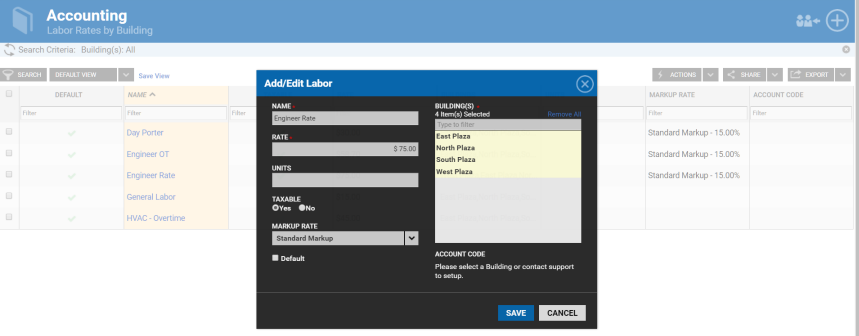
- Save any changes that you make.